Executive Summary
- For most users, the web browser is a tool operated primarily by a mouse. We point, click, and scroll in a series of gestures that have remained largely unchanged since the early days of Netscape. However, for power users and developers, this reliance on the mouse represents a significant latency in productivity—the “travel time” required for the hand to leave the home row and find the mouse. This is where keyboard-centric browsers like
qutebrowserexcel, transforming web navigation into a high-speed, command-driven activity.
Strategic Deep-Dive
For most users, the web browser is a tool operated primarily by a mouse. We point, click, and scroll in a series of gestures that have remained largely unchanged since the early days of Netscape. However, for power users and developers, this reliance on the mouse represents a significant latency in productivity—the “travel time” required for the hand to leave the home row and find the mouse.
This is where keyboard-centric browsers like qutebrowser excel, transforming web navigation into a high-speed, command-driven activity.
The philosophy behind qutebrowser is rooted in minimalism and the Vim text editor’s modal interface. Instead of a cluttered UI with tabs and address bars taking up precious vertical real estate, qutebrowser provides a clean canvas. Navigation is handled through Vim-like keybindings: ‘j’ and ‘k’ for scrolling, ‘H’ and ‘L’ for history, and ‘:’ to enter powerful commands.
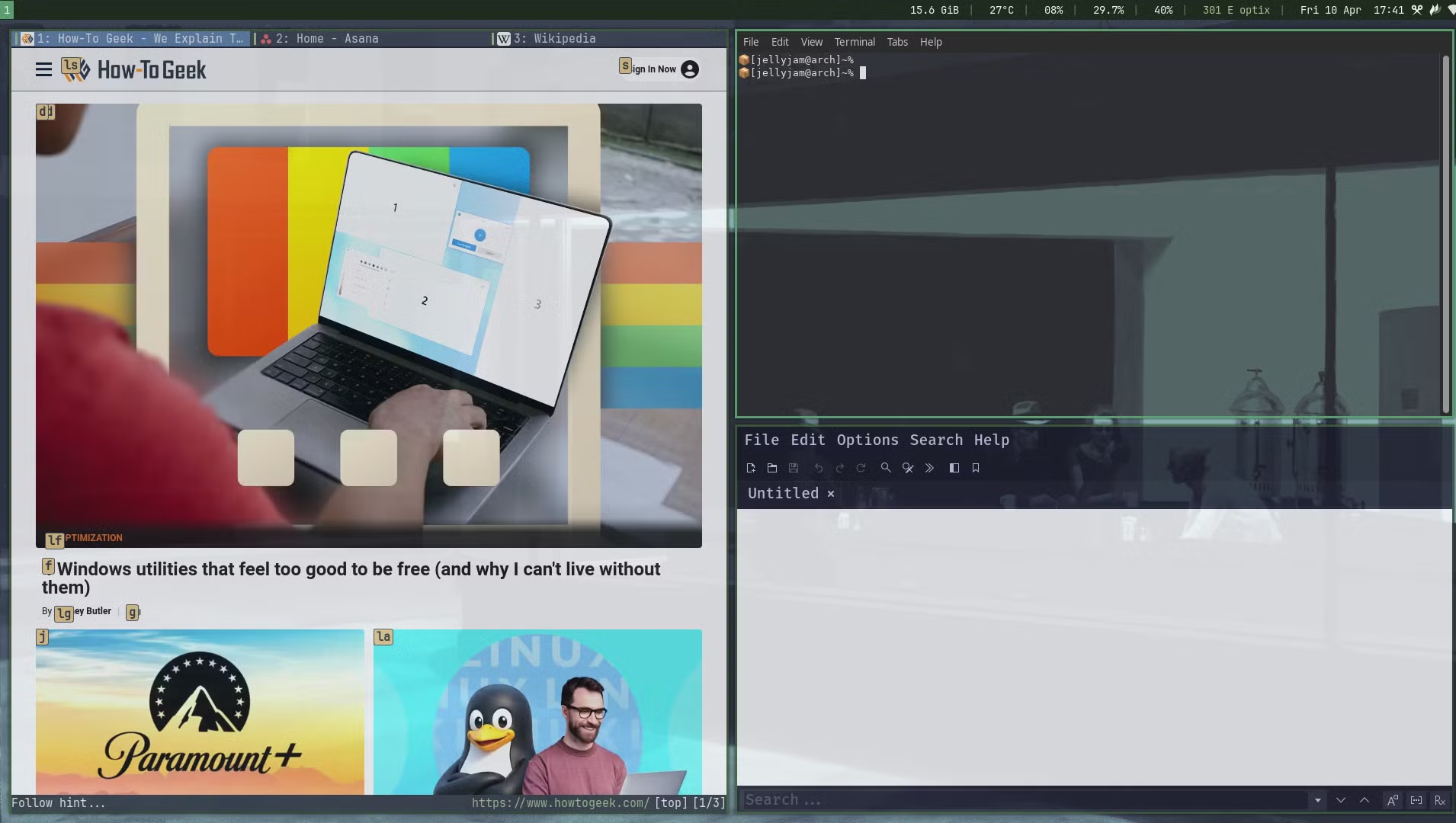
The most revolutionary feature is the “hinting” system. When you press the ‘f’ key, every clickable element on the screen is overlaid with a unique letter combination. Typing those letters instantly “clicks” the link.
This allows for a level of precision and speed that makes the mouse feel archaic.
From a systems perspective, the evolution of qutebrowser is equally interesting. It has transitioned from the legacy QtWebKit to the modern QtWebEngine (based on Chromium). This move ensured that while the interface remains minimalist and keyboard-driven, the underlying rendering engine maintains 100% compatibility with modern web standards and JavaScript-heavy sites.
This transition also brought improved resource management, allowing power users to maintain dozens of buffers (tabs) with significantly less overhead than traditional bloated browsers.
Adopting qutebrowser does come with a steep learning curve, as it requires memorizing shortcuts and adjusting to a modal mental model. However, once muscle memory is established, the efficiency gains are immense. Users can customize every aspect of the browser via a Python configuration file, enabling deep integration with local scripts and workflows.
You can pipe a website’s text directly into Neovim for editing or use keybindings to trigger local system commands. It turns browsing from a passive act into an extension of the developer’s intent, providing a true “superpower” for those willing to master its command-line-inspired interface.