Executive Summary
- The transition of the ‘homelab’ from a simple file server to a complex infrastructure node necessitates a sophisticated approach to monitoring and troubleshooting. Docker containerization has emerged as the definitive platform for this purpose, enabling users to deploy a comprehensive suite of diagnostic tools that were once the exclusive domain of enterprise Network Operations Centers (NOCs). The primary advantage of utilizing Docker for diagnostics is the elimination of ‘dependency hell.’ By encapsulating tools in isolated containers, users can run multiple utilities with conflicting require…
Strategic Deep-Dive
The transition of the ‘homelab’ from a simple file server to a complex infrastructure node necessitates a sophisticated approach to monitoring and troubleshooting. Docker containerization has emerged as the definitive platform for this purpose, enabling users to deploy a comprehensive suite of diagnostic tools that were once the exclusive domain of enterprise Network Operations Centers (NOCs). The primary advantage of utilizing Docker for diagnostics is the elimination of ‘dependency hell.’ By encapsulating tools in isolated containers, users can run multiple utilities with conflicting requirements on a single host without compromising system stability.
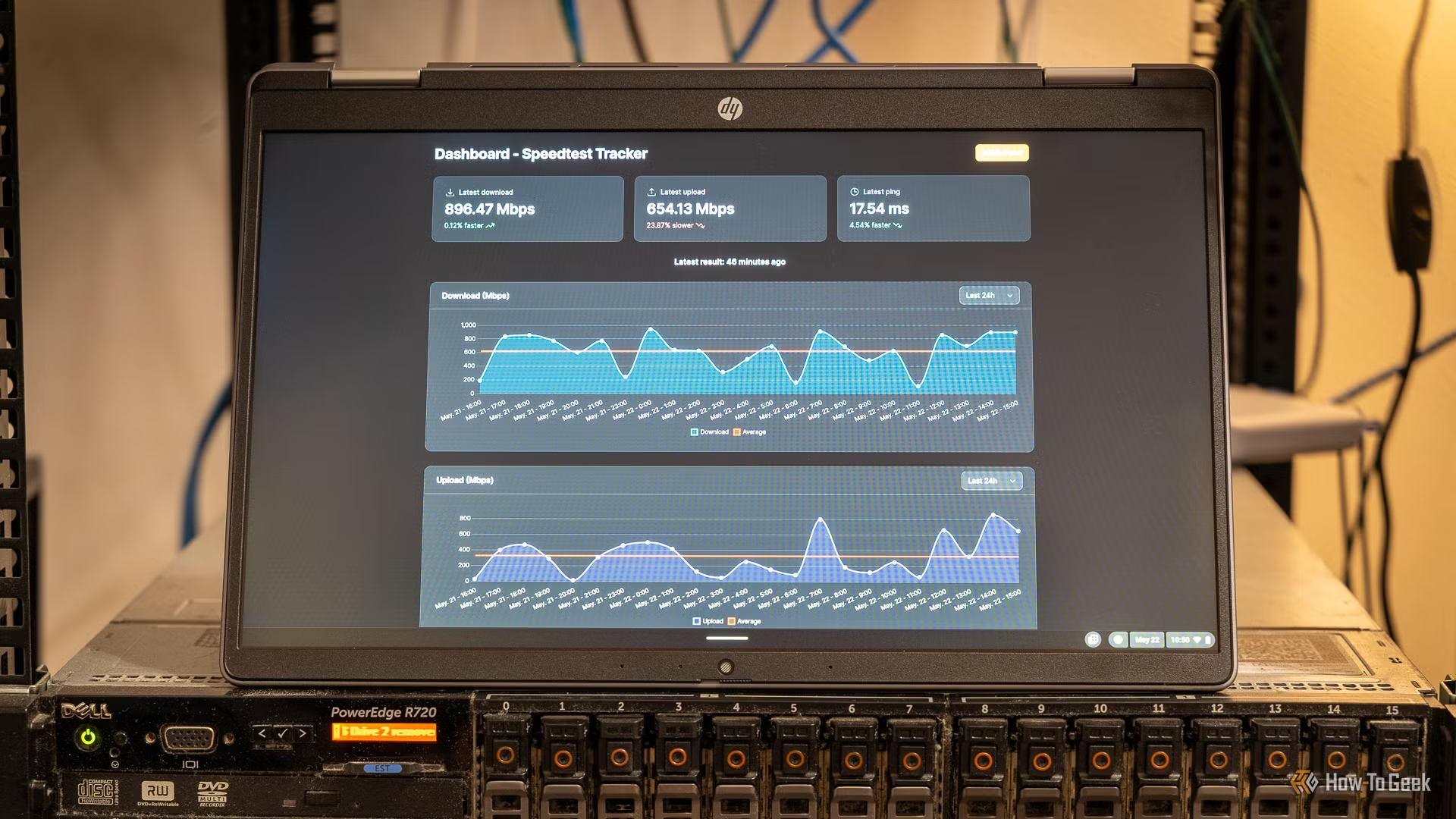
Three essential tools represent the cornerstone of a Docker-based diagnostic stack: Speedtest-tracker, SmokePing, and Pi-hole. Speedtest-tracker automates periodic bandwidth tests, storing results in a persistent database (often PostgreSQL or InfluxDB) to provide a historical visualization of ISP performance. This is invaluable for holding service providers accountable for bandwidth throttling.
SmokePing takes monitoring a step further by utilizing ICMP (or FPing) to measure latency and jitter across various network hops. Its ‘smoke’ graphs clearly illustrate packet loss patterns, allowing users to distinguish between local Wi-Fi interference and upstream routing issues. Lastly, Pi-hole acts as a DNS-level sinkhole and traffic analyzer, providing granular insight into the domain-level activity of every device on the network.
From a technical implementation standpoint, Docker’s networking versatility is key. Utilizing the macvlan driver allows diagnostic containers to appear as first-class citizens on the physical network with their own MAC and IP addresses, enabling accurate Layer 2 testing. Alternatively, using Docker Compose allows for the entire diagnostic stack to be defined in a single YAML file, ensuring that the environment is fully portable and reproducible.
This democratization of high-level monitoring tools empowers home users to move beyond guesswork. By analyzing real-time telemetry and historical logs, prosumers can identify specific bottlenecks—such as an overtaxed CPU on a legacy router or a failing Ethernet cable—with scientific precision. Turning your homelab into a proactive diagnostic command center ensures that your network infrastructure remains optimized, secure, and resilient against the complexities of modern digital life.